Settings
Settings open with ⌘, or the gear in the top navigation. The sections cover appearance, secret storage, privacy, run history retention, and support tooling.
Appearance
Section titled “Appearance”Theme follows your OS by default, or pins to light or dark. ⇧⌘T cycles the theme from anywhere in the app.

Secret storage
Section titled “Secret storage”Two modes for the values in secrets.yml:
- Plain text keeps values in the file. They stay on your machine, and
initscaffolds the ignore rules that keep them out of git. - Encrypt moves values into the OS keychain via the system’s safe storage, leaving only declarations in the file.

Switching modes migrates existing values in both directions. One trade-off to know: the CLI resolves secrets from secrets.yml and the environment, so values encrypted into the keychain are available to the desktop app only.
Privacy
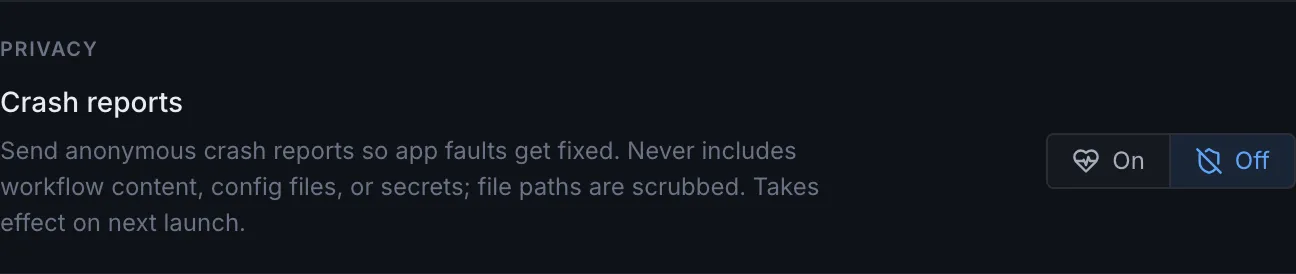
Section titled “Privacy”Crash reporting is opt-out and applies from the next launch. Reports are scrubbed of home-directory paths before leaving the machine, and builds without reporting configured send nothing at all.
Run history
Section titled “Run history”Recent runs to keep caps how many recent runs the app retains per repository in its quick lists. Full run records remain in the run store on disk.
Support
Section titled “Support”Diagnostic bundle exports the same redacted bundle as overwire doctor --bundle: environment facts, a names-and-sizes config inventory, and failed-step run summaries, with no secret values and no file contents. Review it before sharing; it is written wherever you choose to save it.
Overwire is not affiliated with, endorsed by, or sponsored by GitHub, Inc. “GitHub” and “GitHub Actions” are trademarks of GitHub, Inc.