Repository settings
The Repository page collects every repository-scoped scenario input in one place. Each section is a structured editor over a file in the config root, so everything you change here stays diffable, scriptable, and editable outside the app. Editors that sit over a single file have a raw-YAML toggle in their header.
In a multi-repo workspace, the switcher at the top of the sidebar picks which repository you are editing.
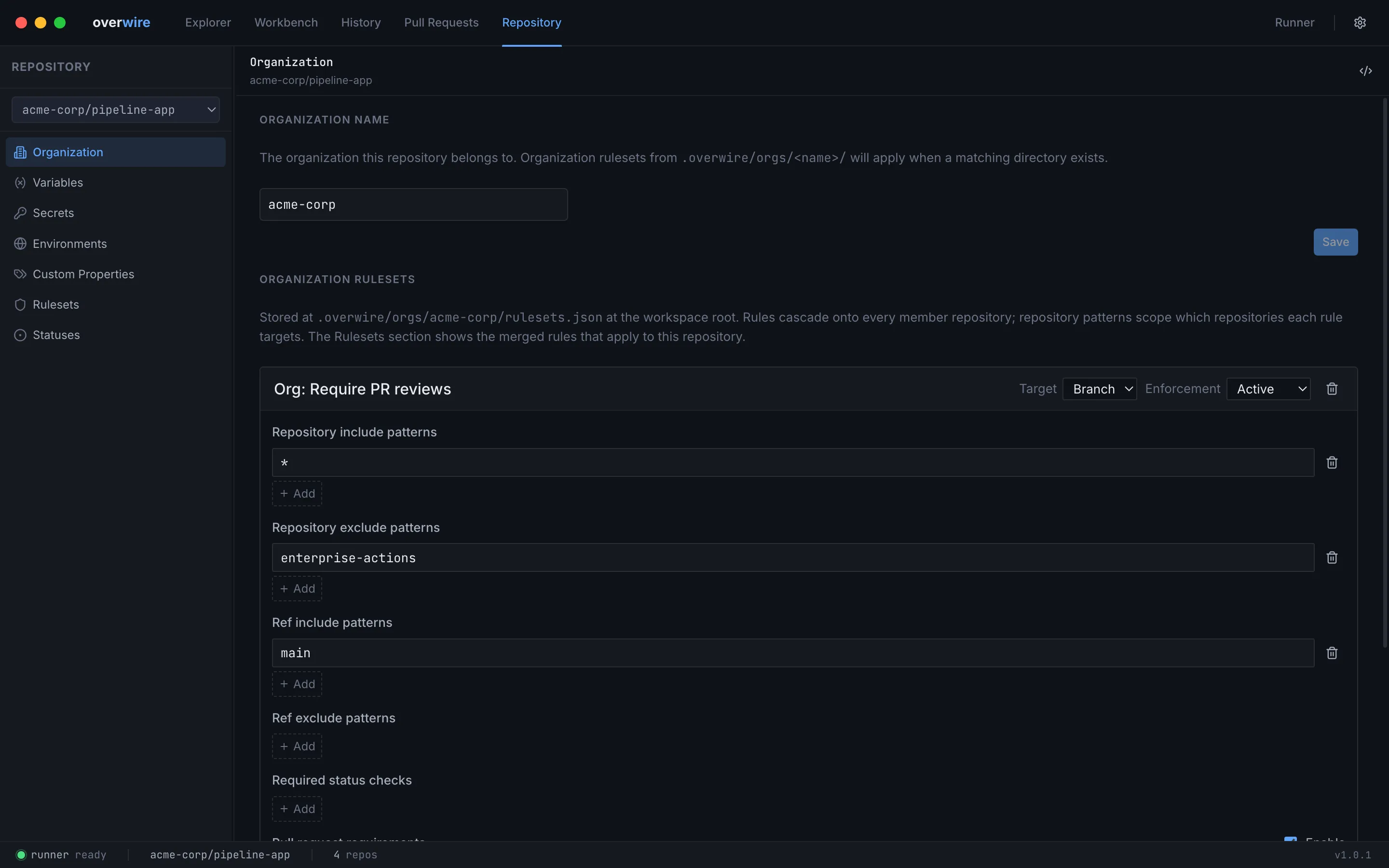
Organization
Section titled “Organization”Sets the repository’s owner, which together with the project folder name forms its owner/repo identity. Renaming the owner updates instances.yml and propagates across the app.
Below the owner field, the organization’s rulesets are edited in place. They live at .overwire/orgs/<owner>/rulesets.json under the workspace config root in the platform’s native export format, and cascade onto every member repository during merge prediction. Each rule carries repository patterns (which repositories it targets), ref patterns, required status checks, and pull request requirements; rule types Overwire does not model are preserved untouched on save. Saving creates the orgs/<owner>/ directory if it does not exist yet.
Variables
Section titled “Variables”Edits variables.yml as a key-value table, resolved in workflows as ${{ vars.NAME }}.
Secrets
Section titled “Secrets”Edits declarations in secrets.yml. The editor shows names and whether a value is present — values themselves never reach the UI. If literal values would be committed to git, the editor warns and offers to add the ignore rule.
Environments
Section titled “Environments”Manages deployment environments under environments/<name>/ for jobs that use environment:. Create or delete environments, then configure each one:
- Protection rules — required reviewers, a wait timer in minutes, and a local auto-approve toggle. These are the same rules the approval dialog enforces when a run reaches a protected environment.
- Environment variables — overrides of repository variables for jobs targeting the environment.
- Environment secrets — environment-scoped secrets, shown as names with a value-present indicator, exactly like repository secrets.
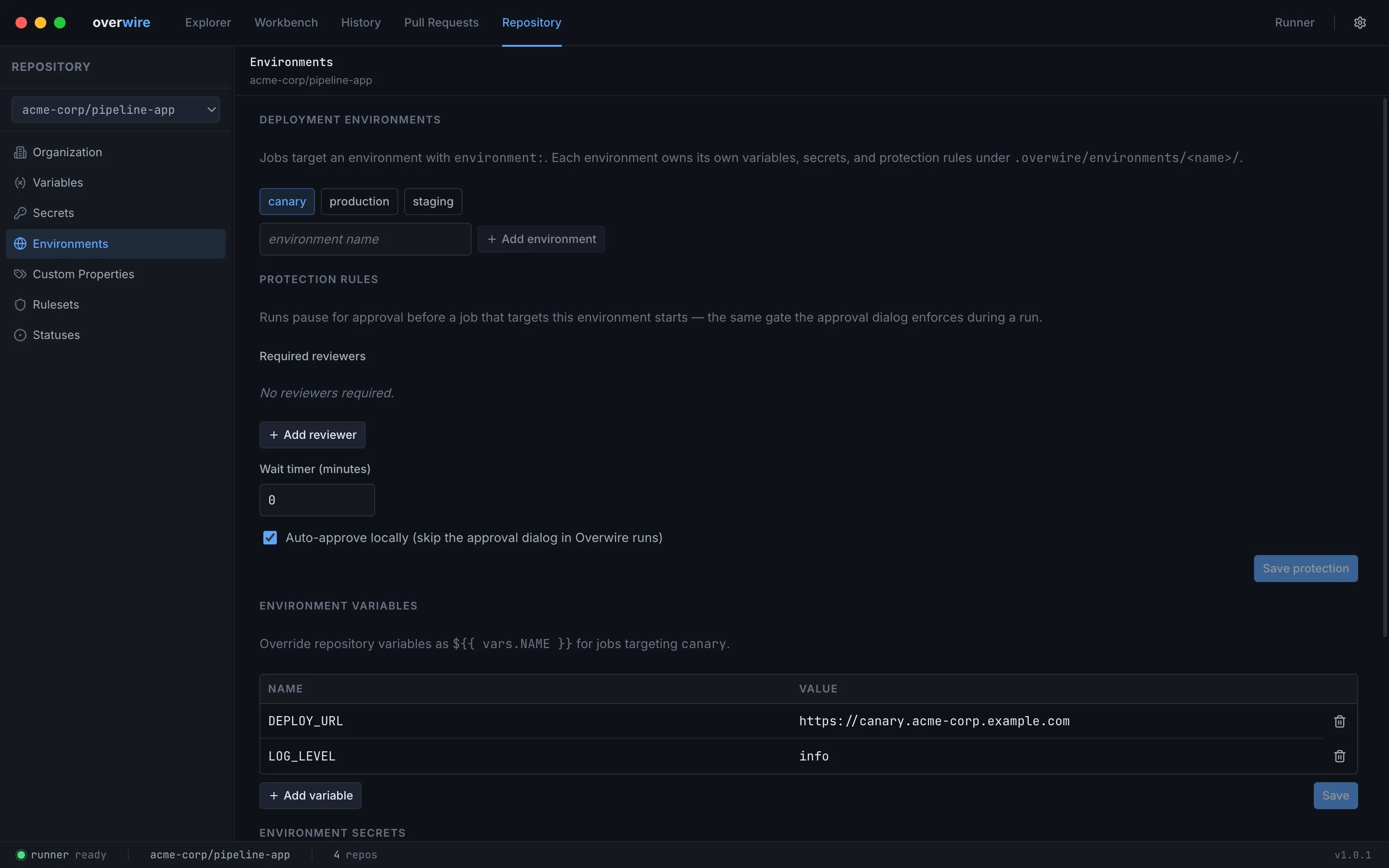
Deleting an environment removes its directory and all three config files.
Custom Properties
Section titled “Custom Properties”Edits custom-properties.yml — organization-defined repository metadata (team, tier, classification) that surfaces in event payloads as repository.custom_properties.
Rulesets
Section titled “Rulesets”Edits rulesets.json in the platform’s native export format. Organization rules appear above repository rules with a source badge; they are read-only in this merged view and edited in the Organization section.
Statuses
Section titled “Statuses”Edits statuses.yml — pre-staged external commit statuses and check runs, the way a third-party CI or scanner would have reported them upstream. Two tables:
- Commit statuses — context, state, and a target (
ref,sha, orpr). - Check runs — name, status, and conclusion. Completed checks require a conclusion; anything still in progress counts as pending for required-check evaluation.
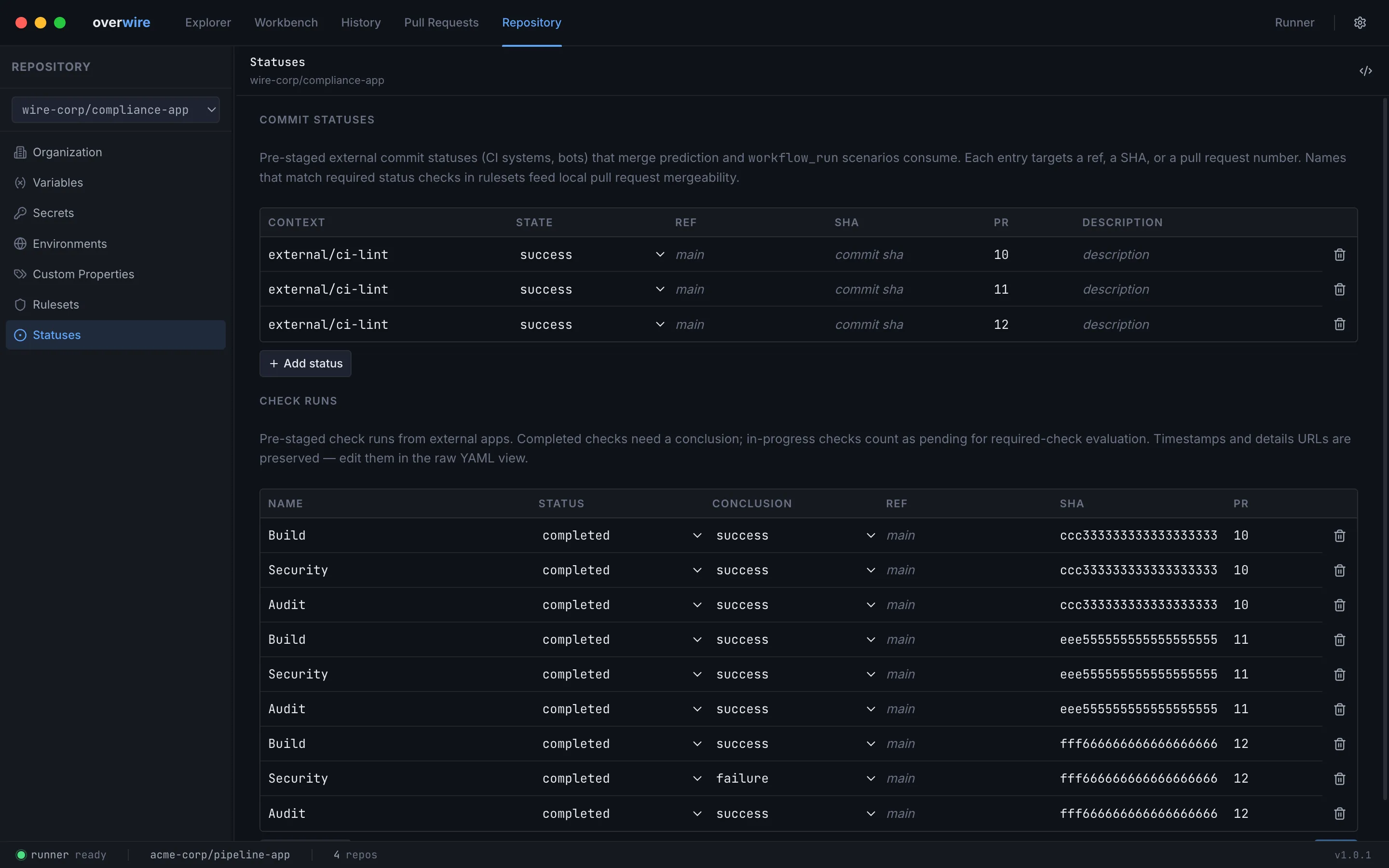
Entries whose names match required status checks in your rulesets feed merge prediction on the pull requests page and workflow_run scenarios. Timestamps and details URLs are preserved on save and editable through the raw-YAML view.
Overwire is not affiliated with, endorsed by, or sponsored by GitHub, Inc. “GitHub” and “GitHub Actions” are trademarks of GitHub, Inc.